
Claims
Claim corrections
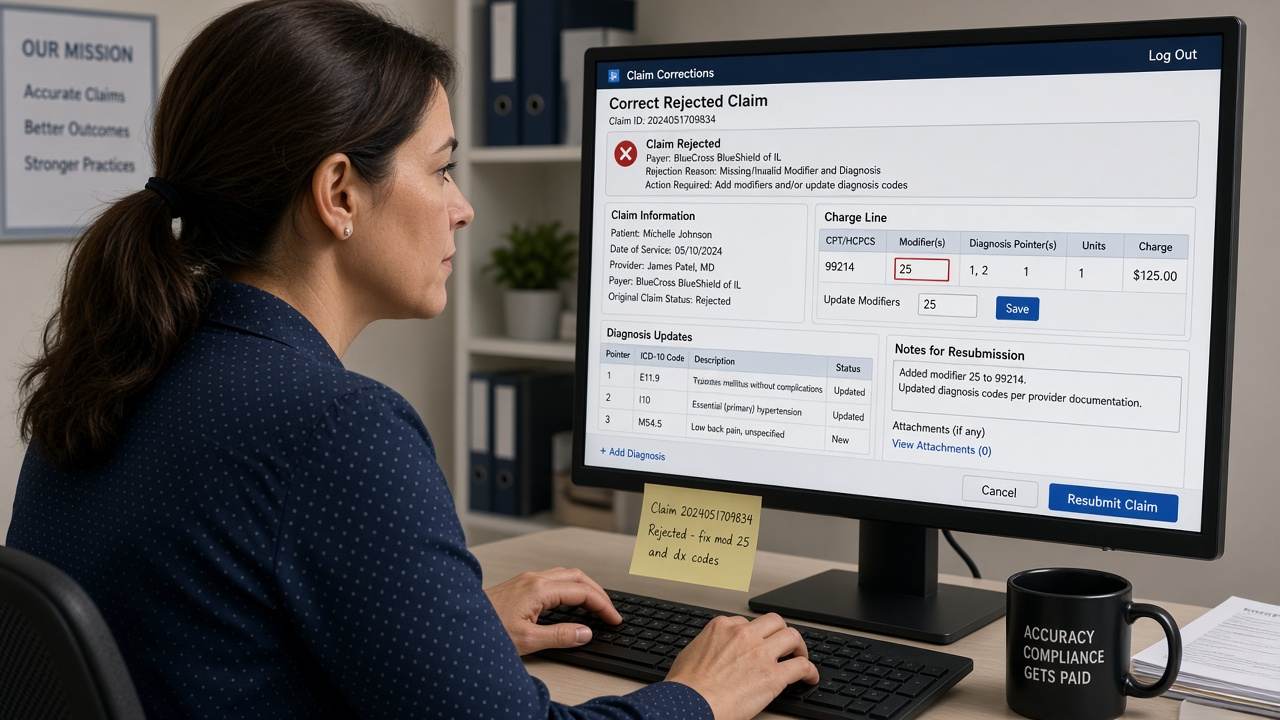
Reopen a submitted claim safely, without losing what happened before. From a submitted or accepted claim, you can begin a correction. The claim moves to correction required, then back to draft, and goes through scrubbing and approval again before it's resent. Corrections done by editing an old claim in place erase the trail. What ships here includes correction path from submitted or accepted claims; history preserved through every change. Used day to day by biller, supervisor roles, with availability marked available. Open the sample screen, then walk the steps below — or book a demo and put your hand on the same flow with synthetic data.
Sample claim corrections screen with synthetic data.
Denial work queue · prioritized
- CLM-24-07702CO-197 Precert absent$2,480
- CLM-24-07655CO-4 Modifier inconsistent$612
Denial intelligence
Similar denials fixed by moving modifier 59 to line 2.
What it is
From a submitted or accepted claim, you can begin a correction. The claim moves to correction required, then back to draft, and goes through scrubbing and approval again before it's resent.
The problem it solves
Corrections done by editing an old claim in place erase the trail. When an auditor asks what changed, nobody can answer.
Process
How claim corrections works
- 1
Begin the correction
Start it from a submitted or accepted claim, or straight from a rejection in the inbox.
- 2
Back to draft
The claim reopens as a draft with its full history still visible.
- 3
Scrub and review again
Corrected claims go through the same rules and the same approval gate.
- 4
Resubmit
Only after approval is the corrected claim queued again.
What's included
Everything below is part of claim corrections today.
- Correction path from submitted or accepted claims
- History preserved through every change
- Re-scrubbing on every correction
- Approval required again before resubmission
- Clear correction-required status in lists
- Linked to the response that triggered it
The guardrail
Corrections go through the same gate as new claims. There's no shortcut path.
Where it fits: claim status lifecycle
Claim corrections is one step in claim status lifecycle. The workflow page shows every step around it, who owns each one, and where a person signs off.
Audience
Who uses it
Biller, Supervisor work with claim corrections day to day. Access always follows what your admin assigns.

How it works
Medical billing professionals working claims and RCM in a US billing office
How it works
Reopen a submitted claim safely, without losing what happened before.
From a submitted or accepted claim, you can begin a correction. The claim moves to correction required, then back to draft, and goes through scrubbing and approval again before it's resent.
Proof points
- Correction path from submitted or accepted claims
- History preserved through every change
- Re-scrubbing on every correction

In practice
Medical billing professionals working claims and RCM in a US billing office
In practice
Where claim corrections shows up
Corrections done by editing an old claim in place erase the trail. When an auditor asks what changed, nobody can answer.
Proof points
- Begin the correction
- Back to draft
- Scrub and review again
About this feature
Can we see the original version?
Yes, the claim's history shows what was submitted before and what changed.
Does a correction need a new approval?
Always.
Can AI start a correction?
Denial intelligence can propose a change, but it only lands on the draft after a person accepts it.
Want to walk MEDBIX against your real claim mix?
Thirty minutes with sample data. We'll follow one claim through the gate, then talk about your payers, practices and where the rework hurts today.
Notes from the billing floor
Occasional, practical writing on denials, A/R and running a billing company. No spam, unsubscribe any time.